

Search rankings feel out of reach? You’re not alone. Most sites miss out because they still rely on old, slow methods. In this guide you’ll see how ai driven seo services can change that. We’ll walk through a full workflow , audit, keyword work, on‑page fixes, link building, and measuring results , all with AI at the core.
By the end you’ll know which tools to pick, how to set them up, and what to look for in the data. Let’s get started.
Step 1: Conduct a Full SEO Audit with AI
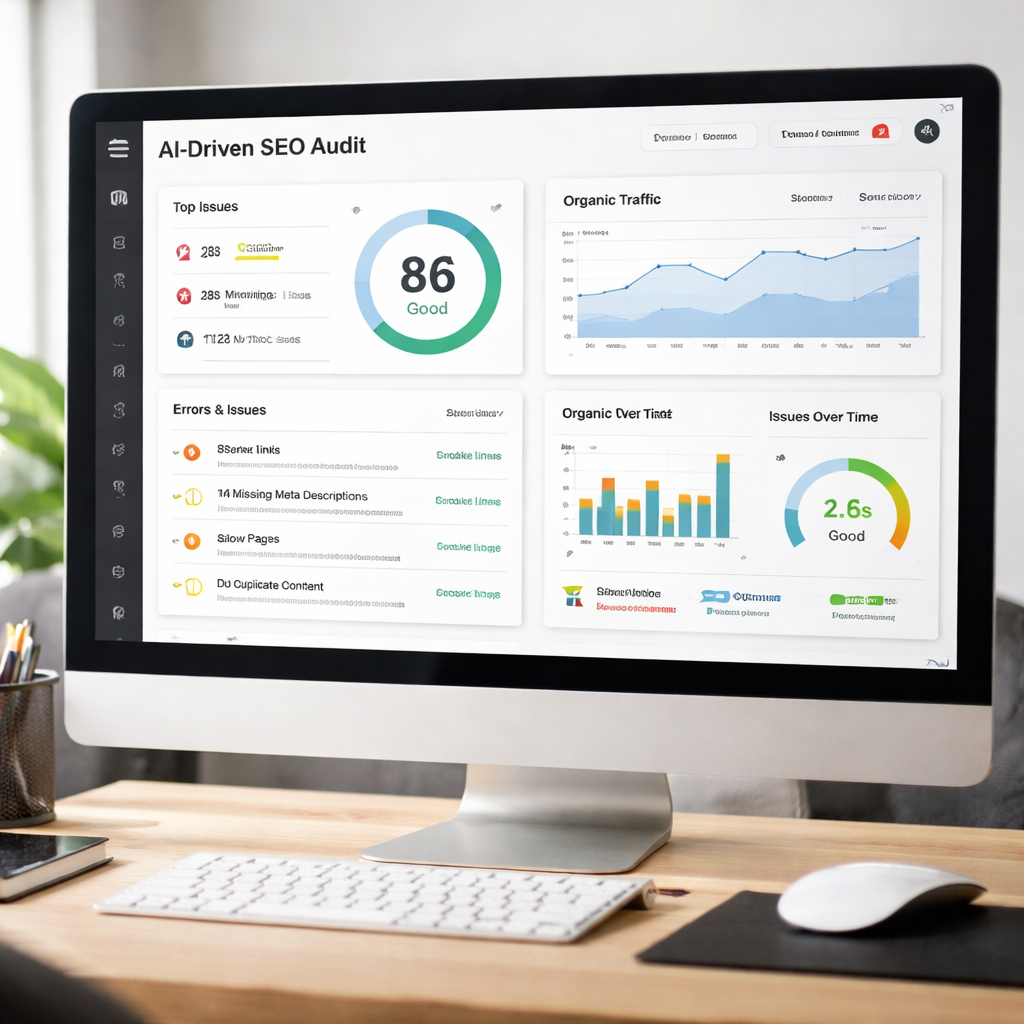
Running an audit by hand eats up weeks of time. The old way meant opening dozens of tabs, pulling reports, then hoping the numbers still mattered. With ai driven seo services the whole process flips. AI crawls your site in minutes, spots broken links, missing tags, slow pages, and content gaps before you even sip your coffee.
First, connect the AI platform to your Google Search Console. The tool pulls live data and starts scanning. It checks every URL for 404 errors, duplicate content, and schema issues. While you wait, the AI also reads the text on each page, compares it to the top ranking pages, and flags where you fall short.
Why does this matter? A single broken link can send traffic to a dead page, hurting user trust and rankings. AI spots these problems instantly, so you can fix them before Google penalizes you. Imagine a weekend sale that drops because a product page returns an error , AI would have warned you on Friday night.
Here’s a step‑by‑step to run the audit:
- Sign up for an AI SEO platform that offers a technical audit module.
- Enter your domain and let the crawler run (usually under 10 minutes).
- Review the dashboard: look for red flags like 404s, slow load times, missing meta descriptions.
- Export the report and assign each issue to a team member.
- Set up automatic weekly scans so new issues are caught fast.
Pro tip: use the AI’s suggested fixes rather than guessing. The tool often gives a one‑click fix for common problems, such as adding missing alt text or compressing large images.
Real‑world example: a mid‑size e‑commerce site used AI to run a nightly audit. Within a month the platform flagged 200 broken product links. The team fixed them, and traffic rose 12% because users could finally reach the right pages.
For deeper technical details, see the guide on AI‑powered SEO tools and audits. It explains how AI turns raw data into clear actions.
Also, the Salesforce AI SEO guide offers a solid overview of why AI is now the backbone of modern SEO.
Step 2: Implement AI-Powered Keyword Research
Finding the right words used to mean typing a few ideas into a tool and hoping for the best. AI changes that. It looks at billions of searches, learns how people phrase questions, and suggests keywords that match real intent.
Start by feeding the AI a list of your main products or services. The system then expands that list, groups similar terms, and shows you which ones have low competition but high relevance. Long‑tail phrases, like “best running shoes for flat feet”, often rank faster because fewer sites target them.
Here’s how to run the research:
- Open the AI keyword tool and select “Create new project”.
- Enter a seed keyword (e.g., “running shoes”).
- Let the AI generate a keyword cloud. Look for clusters that match buyer intent , informational, commercial, or transactional.
- Export the list and add a column for “search intent”.
- Prioritize keywords with clear intent and decent search volume.
Why group by intent? A user searching “how to clean running shoes” wants a guide, not a product page. If you match the intent, the page is more likely to rank and satisfy the reader.
Pro tip: use the AI’s prediction feature to see which keywords will rise in the next three months. Targeting these early gives you a head start before competitors catch on.
Real‑world case: a travel blog used AI to discover “budget Swiss Alps hikes” as a low‑competition phrase. They wrote a detailed guide, and the post hit page one in two weeks, bringing a steady stream of niche traffic.
For more tactics, check the Advanced Keyword Research guide. It walks through user intent and voice search tips.
Another useful read is the Keyword research tips page. It repeats the core steps in a concise checklist.
Step 3: Optimize On-Page Elements Using AI
Now you have the right words. Next, put them where Google looks first , titles, headings, and body copy. AI tools score each page in real time, telling you if the keyword density is right, if the meta tag is too long, or if the content misses related terms.
Begin by opening the page in the AI editor. The tool highlights each element:
- Title tag , does it include the main keyword and stay under 60 characters?
- Meta description , is it compelling and under 160 characters?
- Header tags , do they follow a logical hierarchy?
- Body , are semantic terms used naturally?
Make the changes the AI suggests, then run the score again. A score above 85 usually means the page will compete well.
Why does AI beat a manual check? Humans can miss subtle patterns, like missing a synonym that Google treats as related. AI’s NLP engine catches those and adds them for you.
Pro tip: after the AI gives a score, read the “content gaps” list. It often points out questions your competitors answer, like “what is the warranty period?” Adding a short FAQ can boost chances for a featured snippet.
Real‑world example: a SaaS landing page used an AI optimizer to tighten its meta title and add three related terms. Within a week the page moved from position 12 to 4 for the target keyword.
For a full list of top tools, see Rankability’s content optimization tools review. It compares pricing and features.
Another good read is the SEO optimization tool roundup, which adds a quick cheat sheet for on‑page checks.
Step 4: Use AI for Smart Link Building
Links still matter. AI just makes finding the right ones easier. Instead of scrolling through endless spreadsheets, the AI scans millions of sites, scores each prospect, and even predicts how likely the site will reply.
Here’s a simple workflow:
- Enter your niche and target keywords into the AI link finder.
- Let the tool return a list of potential sites, ranked by relevance and authority.
- Check the AI’s suggested outreach template , it tailors the pitch based on the site’s content.
- Send the outreach and track replies in the built‑in CRM.
- When a link is earned, the AI updates your backlink profile and warns if the link looks risky.
Why trust AI’s scores? The system looks at hundreds of factors , topical relevance, traffic quality, and past linking patterns. It can spot a small blog with a highly engaged audience that a manual search would miss.
Pro tip: use AI to find “linkable assets” ideas. It tells you which types of content (e.g., data studies, how‑to guides) earn the most links in your field, so you can create those first.
Real‑world note: a B2B software company used AI to locate niche tech blogs that often linked to data‑driven studies. They produced a short industry report, earned 15 high‑quality links, and saw a 9% lift in domain authority.
Read more about how AI changes backlink work at Helium SEO’s AI backlinks article. It breaks down the tech behind the scores.
The LinkedIn roundup of AI SEO tools also lists several platforms that include link‑building modules.
| Feature | AI Tool A | AI Tool B |
|---|---|---|
| Prospect Scoring | Yes | No |
| Outreach Templates | Custom | Standard |
| Link Risk Alerts | Live | Weekly |
Step 5: Measure, Analyze, and Iterate with AI Analytics
All the work means nothing if you can’t see the impact. AI dashboards pull data from Search Console, Google Analytics, and your AI SEO tools into one view. You can set natural‑language prompts like “show me traffic trends for my top three keywords” and get a ready‑made chart.
To build a dashboard:
- Open the AI dashboard generator and list the metrics you need , impressions, clicks, average position, conversion rate.
- Describe the layout in plain English. The AI creates the visual components for you.
- Connect your data sources via API keys.
- Review the auto‑generated insights , the AI will highlight spikes, drops, and possible causes.
- Set alerts so you get a notification when a key metric moves more than 10%.
Why use AI here? Human analysts can miss patterns when juggling dozens of charts. AI spots correlations , like a drop in traffic that matches a new core‑web‑vitals warning , and suggests a fix.
Pro tip: add a “visibility” metric that counts how often your brand appears in AI Overviews (the new answer boxes). This helps you show value even when clicks fall.
Example: an agency set up an AI dashboard, saw a sudden dip in impressions for a product line, and traced it to a broken schema tag that the AI flagged. After fixing it, impressions rose 15% in a week.
Learn how to create such dashboards with the Figma AI SEO dashboard generator guide. It walks you through prompts and component design.
The Adriel article on SEO reporting explains why impressions matter more than clicks now that AI answers dominate.

Conclusion
ai driven seo services are no longer a nice‑to‑have. They are the engine that powers fast audits, smart keyword picks, precise on‑page fixes, data‑rich link building, and clear reporting. When you let AI do the heavy lifting, you free up time for strategy, creativity, and real human insight.
Start with a quick AI audit, then move step by step through research, optimization, linking, and measurement. Use the tools and tips above, keep an eye on the dashboard, and adjust as the data tells you.
If you want to keep ahead of the curve, remember that AI keeps learning. Keep your workflows updated, and don’t forget to pair the tech with human judgment.
Ready to give your site the boost it needs? Try the steps, track the results, and you’ll see rankings rise without the old grind.
FAQ
What makes ai driven seo services different from traditional SEO?
Traditional SEO relies on manual checks and static tools that lag behind search updates. ai driven seo services use machine learning to scan millions of signals in real time, catch technical issues instantly, and suggest keyword clusters that match current user intent. This speed and depth let you act before competitors catch up.
How often should I run an AI audit?
Set the AI to run at least once a week for large sites, and daily for high‑traffic e‑commerce stores. The platform can send you alerts when a new 404 or a slow page appears, so you can fix problems before they hurt rankings.
Can AI help with voice‑search keywords?
Yes. AI tools analyze natural‑language queries and surface conversational phrases like “best running shoes near me”. By adding these to your content, you capture traffic from voice assistants that type‑based tools often miss.
Do I need a big budget to use ai driven seo services?
Not necessarily. Many AI platforms offer tiered pricing, and you can start with a free trial to test the core features. Focus on the high‑impact modules , audit and keyword research , before adding paid link‑building or bulk‑optimization tools.
How do I measure ROI from AI‑powered SEO?
Track changes in organic impressions, average position, and conversion‑rate trends on the AI dashboard. Look for lift after each optimization cycle and compare against the cost of the tools. The AI also predicts which new links will boost rankings, helping you allocate spend wisely.
Is AI SEO safe for my site’s long‑term health?
AI follows the same search‑engine guidelines as human experts. It flags risky tactics like over‑optimized anchor text or low‑quality links. By pairing AI suggestions with human review, you keep the link profile natural and avoid penalties.